 Call (844) NO-DISPUTES

12.2: Incorrect Transaction Code
Visa reason code 12.2 - officially titled Incorrect Transaction Code - falls into a category of chargebacks that have nothing to do with a customer being unhappy or a stolen card being used. Instead, it can come down to a processing error: the wrong transaction code was applied at the point of sale and the card network flagged it. Simple in theory, but the consequences are anything but.
What makes this particular chargeback easy to miss is that the mistake happens quietly, somewhere in the technical layer of a transaction, without any obvious sign that something went sideways. By the time the chargeback shows up, the sale is long done and the customer may have already walked out the door satisfied. The error wasn't in the service or the product - it was in how the transaction was coded.
I'll break down what Visa reason code 12.2 means, why it happens, and what merchants can do to avoid it from showing up again. If you've already received one of these chargebacks, or you're just trying to stay ahead of issues, you're in the right place.
What Visa Reason Code 12.2 Actually Means
Visa reason code 12.2 is a chargeback code assigned when a transaction is processed with the wrong transaction type. More exactly, it can depend on a mix-up between credits and debits - a credit card transaction processed as a debit, or a debit processed as a credit.
That error sounds minor, but it changes where the money goes. The funds move in the wrong direction, or the wrong account gets hit, and the cardholder has every right to dispute it.
It's helpful to know where this code came from. Reason code 12.2 was split off from an older legacy code - Visa's code 76 - when Visa retired its previous numbering system and reorganized its chargeback categories. The new system grouped similar disputes under clearer, more descriptive codes, and 12.2 became the home for transaction type errors specifically.
The "12" in the code puts it in a family of disputes related to processing errors instead of fraud or authorization problems. That distinction matters because it shapes how the dispute gets handled and who carries the burden of proof.
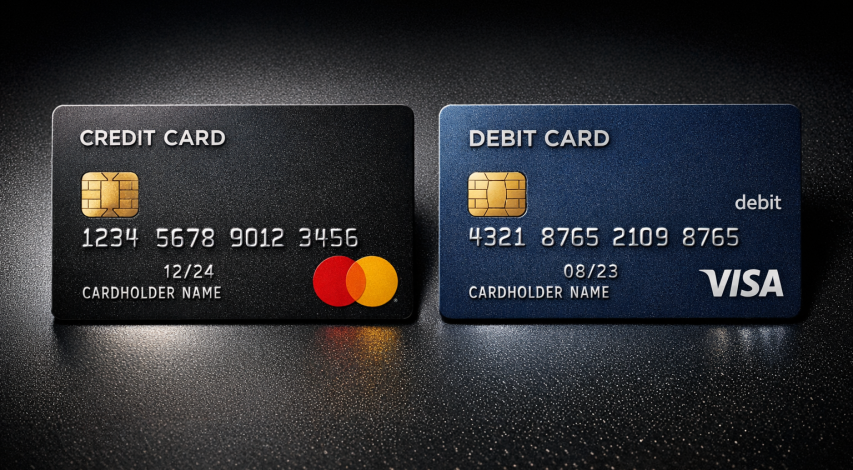
At its core, a transaction code tells the payment network what transaction is taking place - it's a small piece of data, but the network relies on it to route the transaction correctly and apply the right rules. When that code is wrong, the whole transaction is built on a bad foundation.
The simplest example is a refund. A merchant processes a refund but uses a debit transaction code instead of a credit one. The cardholder's account doesn't get the expected credit, or something else goes sideways in the processing chain; it's the situation reason code 12.2 was built to help with.
It's a processing error, full stop - it has nothing to do with fraud or the authorization status of the original purchase. The dispute exists because of what happened after the transaction was initiated - specifically, how it was coded and submitted to the network.
Reason code 12.2 is about a mechanical mistake in how a transaction was classified, and that's the lens to keep in mind as the facts get more granular.
How a Transaction Code Gets Flagged as Wrong
Every card transaction sends a bundle of data through VisaNet, and that data has to fit together in a steady way. When the transaction code doesn't line up with other facts in that bundle - like the merchant category code or the merchant's registered location - Visa's system takes note.
The merchant category code, or MCC, plays a big part here - it tells Visa what business processed the transaction. If the MCC says one thing but the transaction code seems like a different processing strategy, that contradiction is enough to raise a flag. A hotel using a transaction code meant for a simple retail swipe is an easy example of how this mismatch can happen.
The flag itself comes from how VisaNet validates incoming data - it compares the transaction code against expected formats based on the merchant type, the terminal configuration, and how the card data was captured. A mismatch in any of the layers can cause the transaction to be marked as coded incorrectly.

This doesn't always mean someone made an obvious error at the point of sale. A lot of these mismatches come from terminal settings that were never configured correctly. Software updates can also reset or change transaction settings without anyone realizing it.
Processing platforms and payment gateways sometimes introduce mismatches too, and that's also the case when a merchant switches providers or integrates a new system. The terminal might work in every visible way while sending the wrong transaction code on every sale.
| Common Source of Mismatch | What Goes Wrong |
|---|---|
| Misconfigured terminal | Wrong transaction code set during installation |
| Software update | Settings reset to default, overriding correct configuration |
| Gateway or processor switch | New system sends codes incompatible with merchant type |
| MCC and code mismatch | Business type doesn't match the processing method used |
Card-not-present environments add some more difficulty. Ecommerce merchants need to use transaction codes that align with the absence of a physical card, and getting that wrong is easier than it sounds when systems are not set up with that distinction in mind.
The Dispute Timeline and What Merchants Are Up Against
The timelines here are not balanced in favor of the merchant. An issuer has as high as 120 calendar days from the original processing date to raise a 12.2 dispute, which gives cardholders and their banks a long runway to act. Merchants get 30 days from the dispute notification to respond.
| Party | Action | Time Allowed |
|---|---|---|
| Issuer | File the dispute | 120 calendar days from processing date |
| Merchant | Respond with evidence | 30 calendar days from dispute notification |
That gap tells everything. The issuer can take four months to build a case, and the merchant has to pull together a response in a single month.
Thirty days can seem like plenty, but it doesn't in practice. The notification might sit in a queue before anyone notices it, and internal teams sometimes need time to track down the original transaction records. By the time the team starts to build the response, a chunk of that window is already gone.
Missing the deadline is more common than merchants expect. When a response doesn't land in time, the chargeback is usually decided in the cardholder's favor by default. There's no grace period and no way to re-enter the dispute after the window closes.

It's worth taking seriously from day one. The second a 12.2 dispute lands, the clock is already running - and the 30-day window doesn't wait for holidays, staffing gaps, or busy seasons.
It also helps to know that the notification itself can arrive through different channels depending on how your payment processing is set up. Some merchants get an alert faster and others experience a delay, which can eat into the response time before anyone realizes the dispute is live. Knowing where these notifications land in your workflow is the thing that can directly affect your ability to respond in time.
What Evidence Actually Helps Fight a 12.2 Chargeback
The strength of your rebuttal can depend on what your records can prove. You want to show that the transaction code used matched what was actually processed and that any mismatch wasn't the result of merchant error.
Start with your original transaction records. These should include the authorization request and response, the settlement data and anything that shows the transaction type that was submitted. If your terminal or payment gateway logs are available, pull those too - they can show what code was sent at the time of the transaction.
Terminal configuration data is worth including if you can get it. Documentation from your payment processor or point-of-sale provider that shows how your system was set up to classify transactions helps to make the case that your equipment was processing correctly and that the code wasn't applied by mistake.
The honest part: not every 12.2 dispute is worth fighting. If your processing logs show the wrong transaction type was legitimately submitted, the chargeback is likely valid and contesting it will just cost you time. Take a close look at your own records before you choose to respond.

The thing that tends to make or break a rebuttal is how your payment processor documents transaction codes. Some processors include this in your monthly statements or through a merchant portal and others have dedicated reports you'll have to request - it's worth a call to your processor to know what's available to you and in what format. If you're dealing with recurring disputes across transaction types, it's also worth reviewing how authorization issues can compound the problem over time.
| Evidence Type | What It Shows |
|---|---|
| Transaction records | The authorization and settlement data at the time of the sale |
| Processing logs | The transaction code that was actually submitted |
| Terminal configuration data | How your system was set up to classify transaction types |
| Processor documentation | Your processor's own record of the code applied |
If the evidence supports your case, submit it with a short written rebuttal that connects each document to the dispute. Keep that explanation factual and direct - let the records do the work.
Keeping Reason Code 12.2 From Becoming a Repeat Problem
Start by looking over the fundamentals of your processing environment on a standard basis:

- Audit your terminal and gateway settings to confirm that transaction type codes are mapped correctly for each payment method you accept.
- Verify your Merchant Category Code (MCC) is accurate and reflects your current business activity - an outdated or misassigned MCC is a common source of downstream coding errors.
- Keep your processing software and firmware up to date to ensure compatibility with current network requirements and reduce the risk of legacy configuration conflicts.
- Train staff who handle manual entry or back-office processing so that human error does not introduce incorrect codes at the point of sale or during settlement.
- Monitor transaction reports routinely so that anomalies are caught early, before they escalate into chargebacks or compliance flags.
Incorrect transaction codes are a fixable problem. Catching them early - through a scheduled audit or a triggered alert - makes resolution far easier than tackling the issue after a chargeback has been filed. With the right controls in place, most merchants can remove this error type almost entirely.
FAQs
What is Visa reason code 12.2?
Visa reason code 12.2, titled "Incorrect Transaction Code," is a chargeback issued when a transaction is processed with the wrong transaction type, such as a credit processed as a debit or vice versa. It is a processing error, not a fraud-related dispute.
How long do merchants have to respond to a 12.2 chargeback?
Merchants have 30 calendar days from the dispute notification to respond. Issuers, by contrast, have up to 120 days to file the dispute, creating a significant timeline imbalance.
What causes an incorrect transaction code chargeback?
Common causes include misconfigured payment terminals, software updates that reset settings, switching payment processors, or a mismatch between the merchant category code and the transaction type submitted.
What evidence helps fight a reason code 12.2 dispute?
Useful evidence includes original transaction records, processing logs showing the submitted transaction code, terminal configuration data, and documentation from your payment processor confirming how the transaction was classified.
How can merchants prevent reason code 12.2 chargebacks?
Merchants should regularly audit terminal and gateway settings, verify their Merchant Category Code is accurate, keep processing software updated, train staff on correct entry procedures, and monitor transaction reports for anomalies.