 Call (844) NO-DISPUTES
What is Credit Card Recurring Billing?
Credit card recurring billing is an automated payment system that charges customers at set intervals for services or subscriptions. These setups can create some challenges unique to subscription-based businesses.
Card networks see recurring billing as high-risk and here’s why. Customers usually lose track of these charges or fail to remember them when they show up on their statements. When a customer sees an unfamiliar charge from three months back, they’ll usually go straight to their bank to dispute it. Subscription businesses face chargeback rates that are nearly double what standard retailers experience, and most merchants in this space deal with this issue at some point.
For merchants, the benefits are obvious. You set it up once and the payments flow in automatically every month without any extra work. No more invoice follow-ups or payment reminders. This creates predictable revenue that makes it easier for you to plan and grow your business.
Recurring billing depends on how well you communicate with customers about what they’re signing up for. You have to get explicit consent from the start and send out reminders before you charge their card each time. If you don’t have these protections in place, you’ll spend half your time dealing with chargebacks and angry emails. Some merchants even lose their ability to process cards altogether if their chargeback rates climb too high.
How It Works
Credit card recurring billing follows a particular process, and merchants need to get it right if they want to stay out of trouble later. Everything starts when a customer agrees to let you charge their card on a regular basis. You’ll need to get proper authorization from them and store proof of that authorization somewhere safe. Most businesses do this by having customers check a box or sign something that shows they know what they’re agreeing to pay.
After you have their permission, the automated charges can start. Your payment processor will attempt to charge the customer’s card on whatever schedule you’ve set up in their system. Recurring payments work a bit differently than normal one-time purchases though.

The processor might place an authorization hold first to verify that the funds are actually available in the account. Authorization holds usually happen a day or two before the charge processes. Each payment then moves through what’s called the settlement process. Your processor needs to know that it’s a recurring charge so they can code it the right way in their system. The right transaction codes help banks know that they’re authorized repeat payments instead of suspicious duplicate charges.
When you code it, customers are less likely to dispute the charges later on. Payments fail regularly. Cards expire, the accounts run out of money or the banks flag the transactions for all sorts of reasons. Most processors will automatically retry the charge after a few days when a payment doesn’t go through. You can usually set up the retry settings to control when and how many times these retry attempts happen.
One more thing to know – update your payment descriptors so your business name shows up the right way on the statements. Customers need to spot the charge right away, or they might contact their bank to dispute it.
How it Affects Chargeback Prevention
Recurring transactions get hit with chargebacks at about 2 to 3 times the rate of one-time purchases. A big reason for this is that customers forget what they subscribed to months ago. When statement day rolls around, they see an unfamiliar charge and believe that their card got stolen.
The billing descriptor makes a big difference in whether this happens to you. A customer glances at their statement, sees something like “XYZ Corp Processing” (instead of the business name that they’d remember) and calls their bank right then and there to dispute it. Most won’t even bother trying to figure out what the charge is for first – it’s exactly why your descriptor needs to match whatever name customers actually associate with your business.

The way you handle cancellation causes problems too. If someone wants to cancel but has to go through a few steps just to stop the payments, a lot of them will skip all that and just dispute the charge with their bank instead. Banks are well aware that this happens – they even created chargeback reason codes for it. Visa’s code 13.1 gets used when a customer claims that they canceled but you charged them anyway.
Most of these disputes are actually preventable with some pretty basic steps. Email your customers a few days before their card gets charged each cycle. Make cancellation easy – customers should be able to do it online without any trouble. Keep track of everything related to when customers authorize recurring billing and keep those records.
Card declines are a different problem altogether. When a payment fails, contact that customer as soon as you can so they can update their payment info.
Example Scenarios
Think about a software company that bills its customers annually. The customers forgot about the service they signed up for, and now they want refunds through their credit card companies. This scenario happens frequently.
Annual billing cycles are especially vulnerable to chargebacks. A customer signs up in March, really excited about the product at the time. 12 months pass, circumstances change and they’ve moved on to a different tool but never canceled their account. When the annual charge shows up on their statement, panic sets in. Rather than contact the company directly, they go straight to their bank and file a dispute.
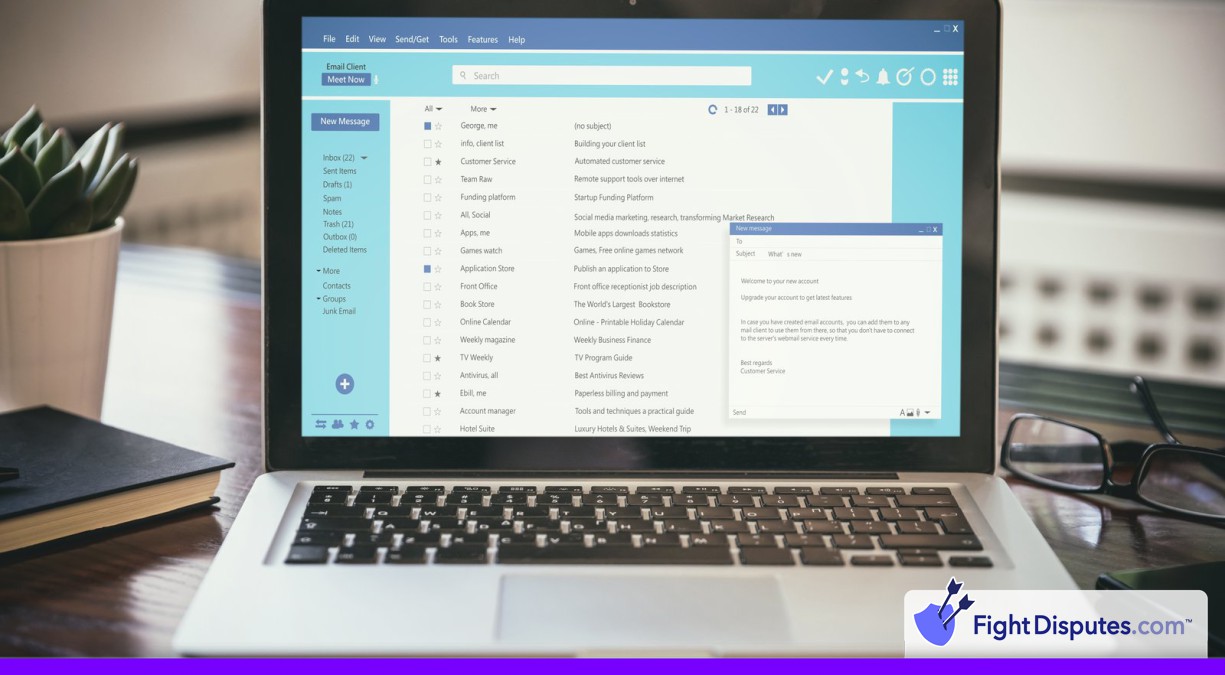
Prevention doesn’t need anything fancy. Automated reminder emails before each billing date make a big difference. The first one should go out 30 days before the charge, followed by another at the 2-week mark and a final reminder 3 days out. Each message needs to make account management really easy – customers should be able to update payment methods or cancel in just a few clicks. Some businesses offer a middle ground by allowing customers to pause their subscription for a few months as an alternative to a full cancellation.
Gyms deal with a related but different problem with monthly memberships. A member decides to cancel. But the contract needs 30 days of written notice. They mention it to someone at the front desk and believe that it takes care of it – but it doesn’t. When the next month’s charge processes, frustration turns into a chargeback dispute. To avoid this, spell out the cancellation process in plain language from the very beginning and then back up every verbal cancellation request with a written confirmation sent to the member’s email.
Requirements and Timeframes
Credit card companies take recurring payments very seriously, and they’ve set up a lot of policies that any business that accepts them needs to follow. Visa and Mastercard both say that you’ll have to send your customers a reminder right before you charge their card each time. The standard window is usually 7 to 10 days before the next payment hits their account. This early heads up gives your customers enough time to reach out and cancel if they don’t want to continue with the subscription anymore.
The reminder itself needs to spell out when the charge will process and what the dollar amount will be. Fine print won’t cut it here – your customers need to see the info upfront so they know what’s coming out of their account. Email tends to be the most popular way to send these reminders because it’s fast, it’s reliable and you can keep records of what was sent and when.
Card networks also care a lot about the cancellation process. They want to make sure that your customers can get out of a subscription without any unnecessary friction or hassle. The process needs to be easy and accessible. The same principle applies when a customer first signs up and authorizes the recurring charges. You need solid records that show your customer understood and agreed to the automatic billing schedule.
On the technical side, there are also some details that you’ll have to get right. Every recurring charge needs to include certain transaction codes that mark it as a subscription payment. These codes signal to the card network and to the customer’s bank that this charge was expected and authorized in advance. Miss these codes and you could end up with a lot more chargebacks, or worse – you might lose your ability to accept recurring payments at all.
Frequently Asked Questions
How can I cut back on chargebacks from recurring billing?
Credit card chargebacks can destroy your profit margins when you run a recurring billing model. Fortunately, a few proven strategies can bring those numbers down quite a bit.
One of the biggest culprits is a billing descriptor that doesn't match your business name. A customer glances at their statement, sees a company name they don't know, and so they right away contact their bank to dispute the charge. A quick notification email before each billing cycle can stop most of these problems - customers like the reminder and it keeps everything transparent.
The cancellation experience matters a lot. Customers should be able to cancel their subscription online without phone calls or emails to support. After they cancel, an immediate confirmation email reassures them that everything went through. No one wants to feel locked into a subscription that they're trying to leave.
It's really important to keep records when disputes do happen. Every time a customer agrees to recurring charges, save that agreement somewhere safe and simple to access. Payment processors also need certain transaction indicators for recurring billing, so you should work with your processor to set up these settings from the start.
Receipts should go out right away after each successful charge. This gives your customers a complete record and it's a gentle reminder of what they're subscribed to. Failed payments are another common issue. But repeatedly trying a declined card will just annoy customers. A better way to handle it is to space out your retry attempts by a few days each time.
Finally chargeback ratios for recurring payments tend to look different from one-time purchases. Tracking these two categories separately lets you spot patterns and fix problems before they snowball.
What happens if a customer's card expires during recurring billing?
When a customer's credit card expires, charges continue without interruption. Payment processors have built tools called account updaters, and what these do is pull fresh card information directly from the banks. Charges can go through even after the old card stops working, all without the customer having to lift a finger.
The problem comes when businesses lean on this too heavily. A customer receives their new card in the mail, checks their statement and discovers a charge from your company. Only they never provided you with that new card info. From their perspective, it looks suspicious - maybe even fraudulent. Before long, you'll end up on the wrong end of a chargeback dispute.
A better way to do this is to reach out ahead of time. Send customers a quick heads up about 2 weeks before their card is set to expire, and it gives them enough time to log in and update everything on their own. When a charge does fail after the expiration, resist the urge to retry it over and over again.
What tends to work better is a spaced-out retry schedule. Wait for 3 days, then try again. Then wait for 5 days. Then push it out to a week. This schedule gives customers room to breathe and fix the problem without feeling like you're knocking on their door all the time. From what I've seen, a grace period of around 15 days before the service suspension tends to strike the right balance.
Revenue matters, obviously. But customer retention matters just as much. Nobody wants to suddenly lose access to something they're actively paying for just because a card has expired. At the same time, revenue protection is real and chargebacks are expensive enough that you'll want to avoid them.
Do I need to notify customers before each recurring charge?
Credit card companies have some pretty firm policies for when businesses need to let you know before they charge your card. Most merchants need to tell you about 7 to 10 days before they bill you. This window gives you enough time to cancel if you've decided to stop using the service.
The timing changes based on what subscription you have though. Fixed monthly charges - like your Netflix subscription or your Spotify Premium - don't always need a reminder before each billing cycle. Variable pricing works differently. When the amount changes from one bill to the next, or when you only get charged every once in a while instead of monthly, merchants need to let you know every time before they process the payment.
These alert policies help protect businesses just as much as they protect customers. Charges that show up without warning usually trigger lots of disputes and when customers don't remember something on their statement, they'll call their bank to contest it. Each dispute generates a chargeback and costs the merchant money in fees and can also damage their reputation with credit card processors. Merchants who can prove they sent the right kind of alert have a way better chance to win when they have to fight one of these disputes.
One part you should know about is how your first authorization is different from the billing alerts that come after it. Your first authorization when you sign up gives the merchant the permission to start charging your card. From that point forward, they have to follow the alert policies based on the billing model that they're using. This keeps both sides on the same page and helps you keep track of charges on your statement.
What's the difference between recurring billing and subscription billing?
Credit card recurring billing and subscription billing systems aren't the same. They're quite different once you look at what they can do for your business. Basic recurring billing just charges a customer's card every month - transaction done. But it doesn't give you much else to work with beyond that.
With basic recurring billing, you store a customer's card information and charge it on whatever schedule that you set up. That works fine until something goes wrong.
Subscription billing systems were built to solve these kinds of problems. They give you the ability to manage multiple pricing plans and track how your customers actually use your service. If a customer wants to upgrade to a higher tier in the middle of their billing cycle, the platform automatically prorates the charge and bills them for the correct amount. You don't have to break out a calculator and get the math wrong.
Another benefit is the visibility that you get into customer behavior patterns. The platform can flag accounts that show signs of dissatisfaction and gives you a chance to fix those issues before customers get frustrated and file a chargeback. And when customers have access to a self-service portal where they can review their billing history and manage their own subscription settings, they're far less likely to look at their credit card statement and ask themselves what the charge is for.
For businesses that have multiple pricing tiers or that bill based on usage, a dedicated subscription platform is the only option that really makes sense. It prevents billing errors like accidentally charging a customer twice or putting them on the wrong plan for the whole billing cycle.
How do I handle failed recurring payments to prevent chargebacks?
A strong recurring billing system takes a lot of effort to build from the ground up. The businesses that do well with recurring payments are the ones that prioritize their customers and make sure everyone really understands what they're signing up for and how to manage their subscriptions afterward.
Customer communication plays a big part in whether your recurring billing program succeeds or fails. The businesses with the lowest chargeback rates make sure that their customers stay in the loop about everything - payment dates, what's going on when a card gets declined, all of it. These same businesses also make it easy for customers to update their payment info or cancel their subscriptions without any unnecessary friction.
How you deal with failed payments is one of your most powerful tools for dispute prevention. Smart retry schedules help you recover the failed payments without hitting the customer's bank with too many attempts that can trigger chargebacks. Simple communication about payment failures and service interruptions makes sure that customers stay in the loop, and reasonable grace periods help maintain goodwill. Aggressive collection methods that don't include enough notification will trigger chargebacks when the services get terminated out of nowhere. A better way to go about this is to include alternative payment methods and self-service options that let customers fix the payment problems on their own before the situation gets worse. The way that you approach soft declines and targeted retry strategies for different card issuers can improve your recovery rates substantially and keep the disputes away.